On this page
LinkedIn monitoring tools watch different things: posts from people you know, public conversations about your brand or competitors, job changes, or company-page performance. Start with the event you need to see, then compare the feed, alert or report you will receive.
For founders and SDRs, Extrovert connects prospect and topic monitoring to comment drafts, connection requests and DMs. Keyword listeners, champion trackers and analytics platforms cover other parts of the job. The comparison below separates those workflows and their costs.
Choose the monitoring job first
- Stay visible to named prospects: track their posts and work through relevant comments and follow-ups in Extrovert; Sales Navigator supplies native lead and account alerts.
- Find brand, category and competitor conversations: Jungler.ai, Octolens, OutX and Buska monitor keywords. Clay can put monitored mentions into a configured enrichment workflow.
- Reconnect after a career or account change: UserGems supports a revenue-team champion program; LeadIQ tracks saved contacts; Signalbase monitors account events for recruitment business development.
- Combine engagement with your other buyer data: Common Room connects company-page engagement to identity, CRM and other touchpoints.
- Measure company-page and content performance: Socialinsider produces analytics and reports. A performance report and a prospect alert answer different questions.
Competitor monitoring also has several meanings. Finding posts that mention a rival, collecting the people engaging with its content, observing its hiring, and benchmarking its company page are separate jobs. A tool that supports one should not be assumed to support all four.
LinkedIn monitoring tools compared
Posts, mentions and engagement
| Tool | Monitoring output and price |
|---|---|
| Extrovert | Prospect/topic post feed, comment drafts and recommended DMs. Price: $49/LinkedIn seat/month, monthly; 250 prospects, 1 topic, 300 discovery Credits |
| Jungler.ai | Daily keyword posts/enriched authors and profile/company-post engagers; integrations/API. Price: $99/month; 5 signals, 8,000 credits; updates every 24 hours |
| Octolens | Public posts/comments, AI filters, Slack/email/API/webhooks; hourly on Pro. Price: €139/month billed annually; 10 keywords, 15,000 mentions; hourly |
| OutX | Keyword/profile/company watchlists and reply drafts; 24-hour Growth freshness. Price: Growth $99/month, monthly; 5 watchlists, 1,000 profiles; 24-hour freshness |
| Buska | Public keyword posts, intent score, original link and Slack/Discord alerts; daily on Starter. Price: Starter $49/month, monthly; 5 signals, daily scans; session cookie required |
| Clay | Configured signals, enriched rows and downstream actions. Price: Launch $167/month billed annually; Actions and Data Credits determine usage |
Career changes, account context and reporting
| Tool | Monitoring output and price |
|---|---|
| Sales Navigator | Native saved-lead/account alerts and research. Price: Core US$119.99/license/month, monthly; US$1,079.88/year annually |
| UserGems | Champion/account signals, scoring and campaigns. Price: Core $40,000/year plus $3,000 implementation |
| Common Room | Company-page engagement combined with buyer profiles. Price: Essential $2,500/month billed annually; 5 seats |
| LeadIQ | Saved-contact job changes and CRM contact data. Price: Credit-based Pro; five users included; champion-tracking scope is separate from free enrichment |
| Signalbase | Funding, hiring, acquisitions and job-change account events. Price: Pro €99/month; 3 seats; API delivery consumes credits |
| Socialinsider | Company-page analytics, benchmarks and reports. Price: Adapt €990/year; displayed equivalent €83/month; 20 accounts |
Currencies and commitments are shown as sold, not converted into a common currency. Tracked people, keyword queries, mentions and enrichment credits are different units. The product sections explain the allowance and setup behind each price.
1. Extrovert: prospect monitoring with a response workflow
For SDRs working a named prospect list, Extrovert finds posts from the people and topics you track. It drafts comments in your style and suggests when to connect or message someone. You can review drafts individually, approve them in bulk or automate selected campaigns.
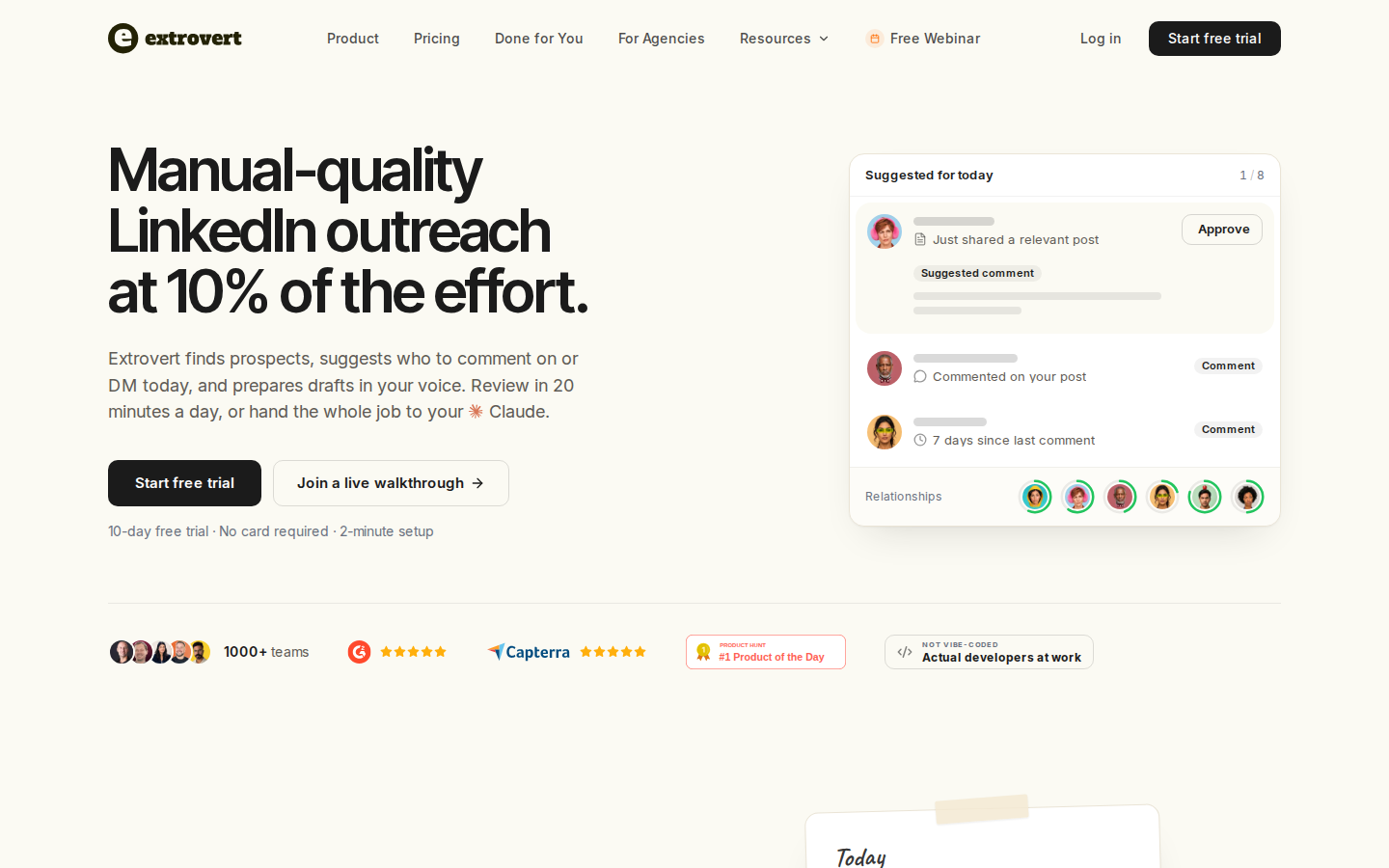
A relevant post can become a comment or a reason to reopen a conversation, with the post and draft available in the same workspace.
Find people from relevant LinkedIn activity
Intent Signals finds people who match your ICP from configured activity, such as engagement with selected posts, people, company pages or topics. Some signals use connections with a competitor's sales or customer-success team. Each match includes the activity that brought the person to your attention. Check whether the person fits your ICP and read the relevant conversation before reaching out.
Illustration: a radar sweeping LinkedIn activity. Most of it is passed over; three people are found by what they did: commented on a post about your topic; engaged with a competitor's post; connected with a competitor's sales team.


Lead Finder serves a separate job. It searches a third-party B2B database by criteria such as role, company and location; it does not search through your connected LinkedIn account. Use discovery to build the list, then monitoring to keep up with the people on it.
Turn a prospect post into a conversation restarter
Extrovert checks prospect posts for news worth mentioning, such as a launch, a new role or an event they attended. When it finds a relevant moment, it drafts a DM to restart the conversation. This detects news in prospect posts; dedicated champion tracking follows employment changes. Read the signal and the existing thread before sending.
Illustration: Extrovert reads the prospect's posts. hot take, thought leadership, motivation, promotion are skipped. One post, went to sf tech week, is a Restarter signal. Extrovert suggests the DM "Seen you went to SF Tech Week. How did it go?", and the prospect replies.

What is included:
- Prospect-post and topic monitoring, with comments and DMs in the same workflow.
- Lead Finder and Intent Signals for discovery.
- Individual review, bulk approval and optional campaign automation.
- MCP, API and webhooks for connected workflows.
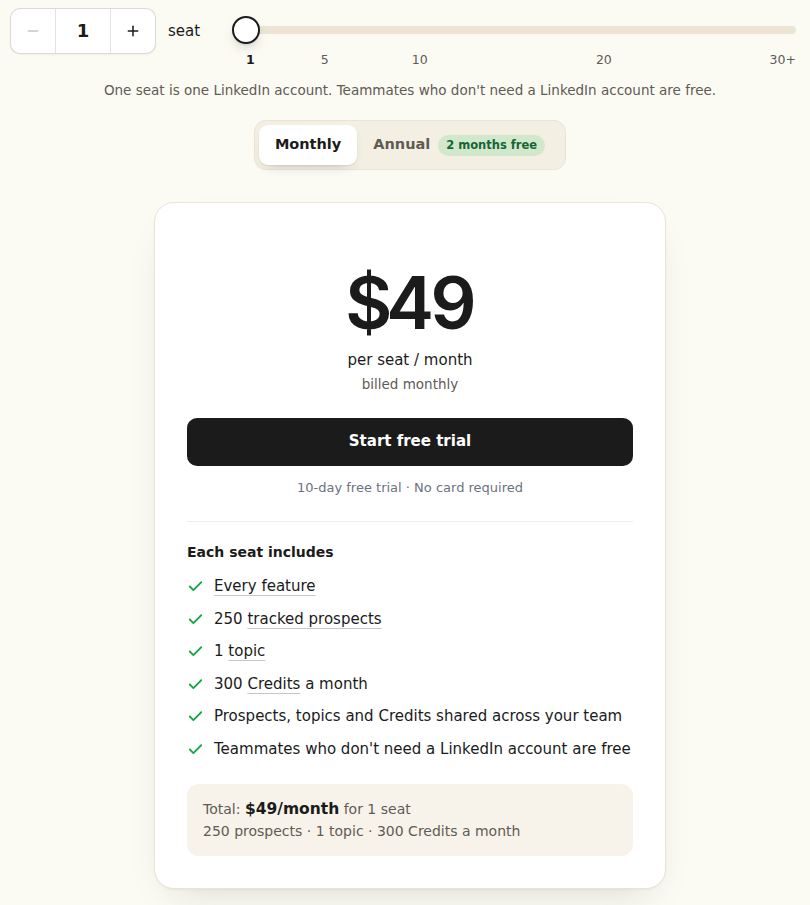
Pricing: $49 per seat/month, billed monthly, for one LinkedIn account. Each seat includes 250 tracked prospects, one topic and 300 monthly Credits, shared across the team. Teammates without a connected LinkedIn account are free. The trial lasts 10 days and requires no card.
Discovery and additional tracking have separate usage costs. Lead Finder uses one Credit per delivered prospect; Intent Signals uses 25–250 Credits per prospect depending on the signal. See Extrovert pricing for capacity and top-ups.
Prospect posts and profiles come from third-party sources rather than being read through your connected LinkedIn account. Your tracking allowance covers the people and topics you follow; discovery Credits cover finding new prospects.
Set up a monitoring-to-conversation routine
- Create a people campaign for prospects or open deals. Add LinkedIn URLs, import a CSV or use a Sales Navigator search. Choose warm outreach for new relationships or nurturing for people you already know.
- Add a topic campaign for a subject your buyers discuss. The product illustrates this with “AI in B2B sales.” Topic campaigns find relevant discussions across LinkedIn; an exact Boolean brand-alert query is a different setup.
- Choose how the main feed ranks posts: newest first for active discussions, closest to outreach for warm-up, or longest since your last comment for nurturing. Filter out lead magnets, politics, sensitive topics and old posts you do not want to join.
- Read the post and draft, then edit, approve or skip. Set your commenting pace and campaign priority. Individual review, bulk approval and optional campaign automation are available.
- Work through Recommended DMs with the reason beside each draft. A conversation restarter gives you the prospect's news to refer to; smart follow-ups use the existing thread and the timing you set.
For competitor research, Intent Signals can find ICP-matched people who engaged with a selected competitor post or company page, or connected with its sales or customer-success team. Choose the activity you want to investigate, review the matches, then add relevant people to a campaign. A connection or like gives you context; it is not proof of budget or a buying timeline.
MCP, API and webhooks support the same routine in a connected workflow. Through Claude or ChatGPT, an assistant can review the feed, edit drafts and approve or send the actions you allow. A webhook can hand a prospect to your CRM or sequencer after the number of comments you set.
Try the workflow with one real prospect list or topic during the 10-day trial, and review the first posts and drafts before expanding it.
2. Jungler.ai: keyword posts and enriched engagement lists
Jungler.ai combines keyword monitoring with profile and company-page engagement signals. A keyword signal captures matching posts and enriches their authors; a profile signal follows the chosen profile or page's posts and the people engaging with them. For competitor research, distinguish between finding category conversations and identifying people who engage with a rival's posts.
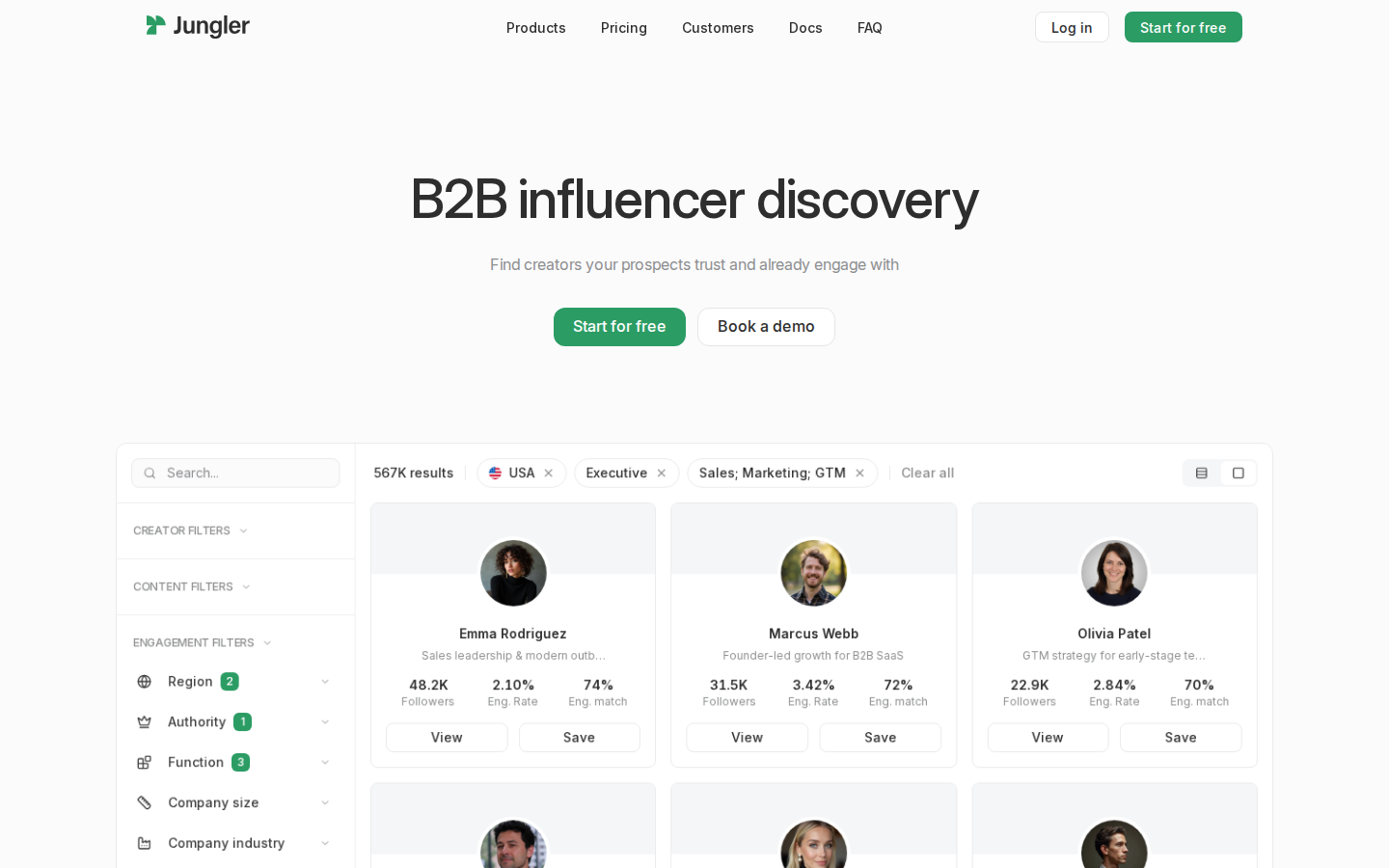
Choose New → Keyword monitoring and enter a brand, competitor or category query. Quoted phrases, uppercase AND/OR/NOT and parentheses let you narrow the search. The official documentation uses ("looking for" OR "recommendations") AND CRM as a category-query example. Add AI filtering based on post content, author headline and profile to remove irrelevant matches.
Signals run every 24 hours. The first keyword run retrieves about a month of history, capped around 250 posts; later runs retrieve up to about 250 new posts per day. Queries allow six keywords and five operators. Broad terms can exceed the daily cap, so narrow the query rather than treating the returned posts as the whole market.
Route qualified authors or engagers through integrations, export, API or webhooks. This gives a sales or research team enriched people to qualify and hand off.
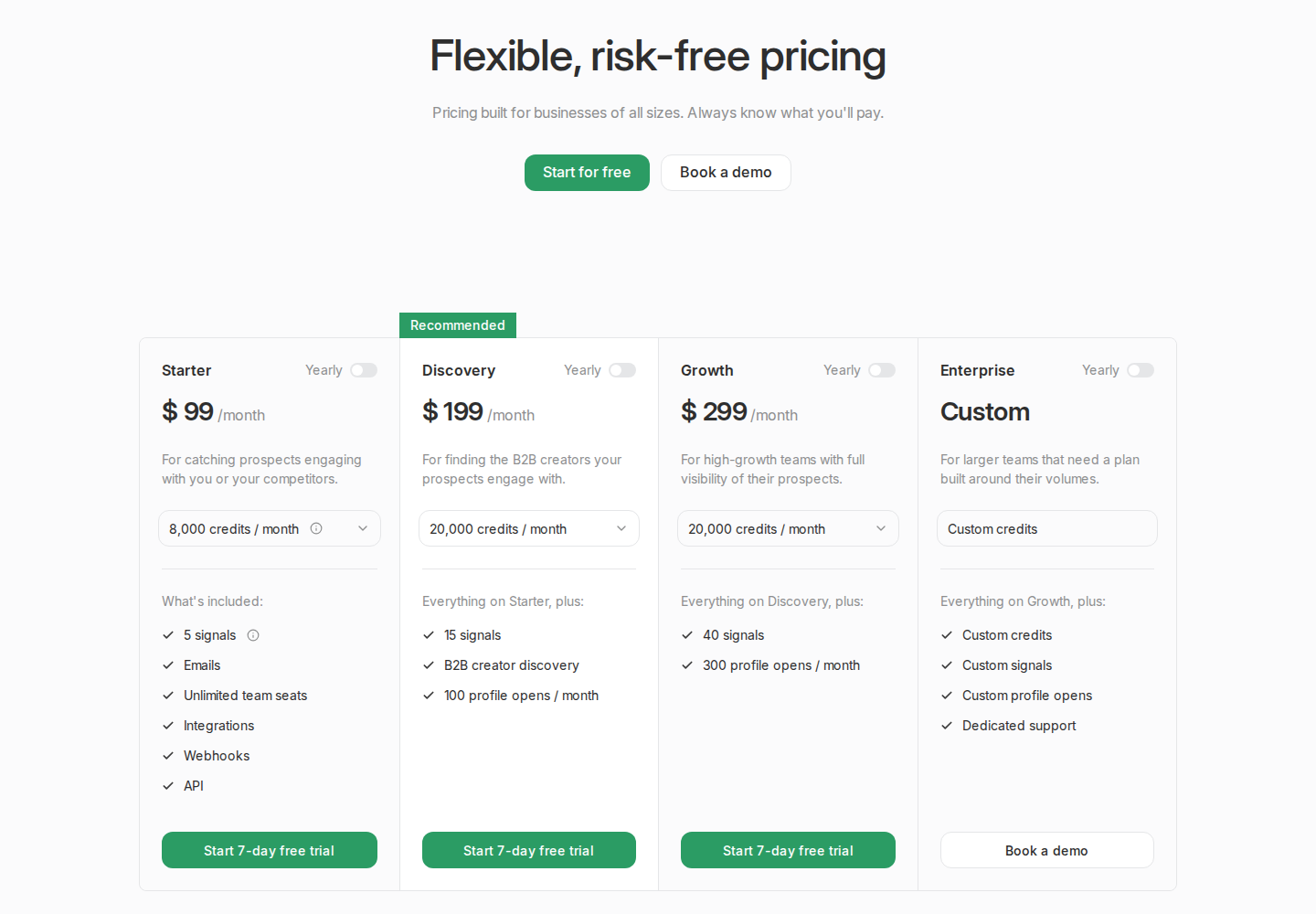
Pricing: Starter is $99/month, or $79/month with yearly billing, for five signals and 8,000 monthly credits. A signal tracks a profile or keyword query; a credit gets one enriched engager or post. Starter includes unlimited seats, integrations, webhooks and API. Discovery starts at $199/month and Growth at $299/month on monthly billing; Enterprise is custom. A seven-day trial is available.
3. Octolens: brand and competitor mentions with alert routing
Octolens monitors brand names, products, competitors and industry keywords across public LinkedIn posts and comments. Untagged mentions can enter the feed, making this useful for reputation monitoring and conversations that would not appear in your company-page notifications.
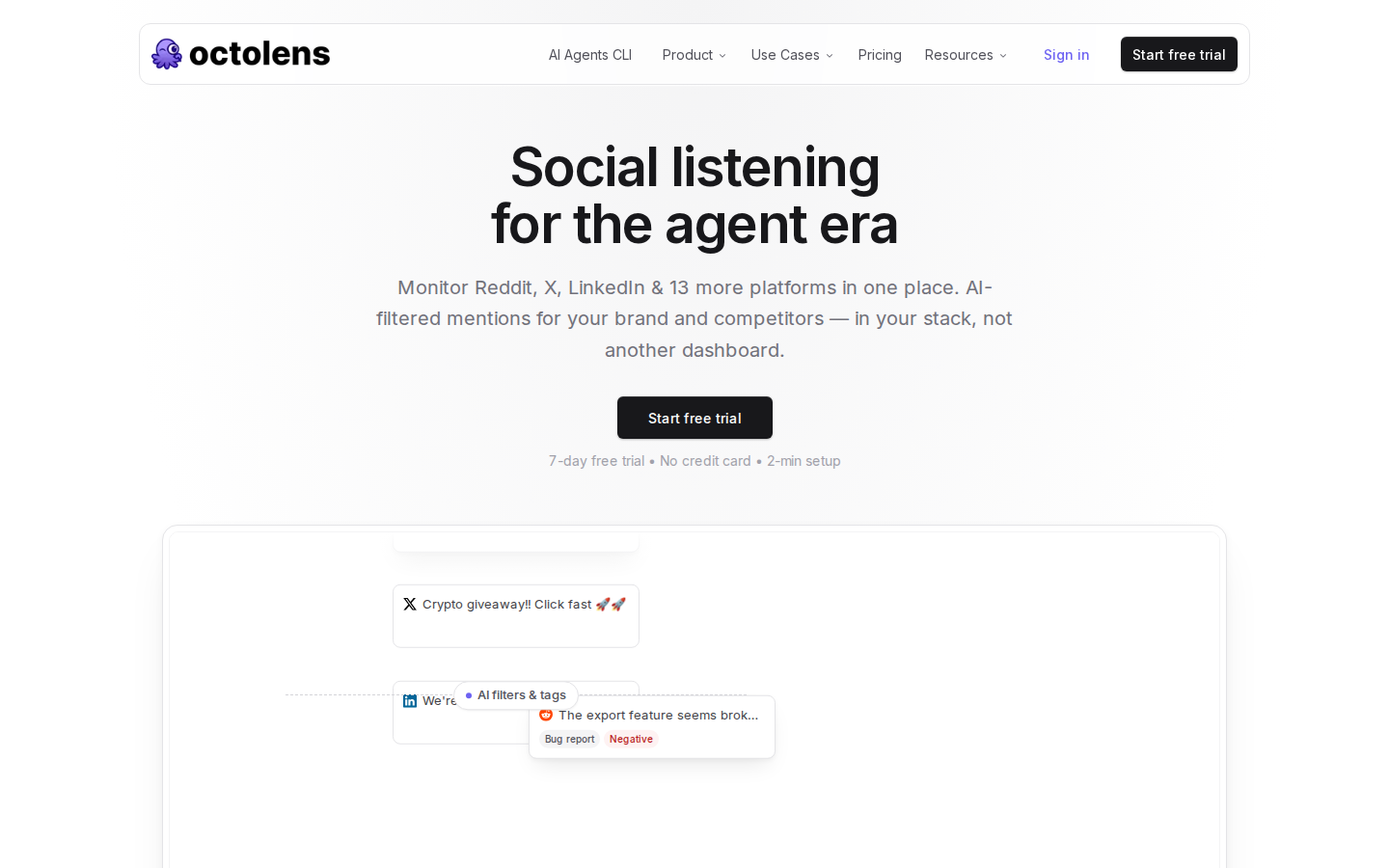
Boolean searches, negative keywords and language filters narrow the input. AI relevance, sentiment and intent filters help separate a recommendation request or product complaint from a passing mention. Matches can go to Slack, email, API, webhooks or MCP for review and routing.
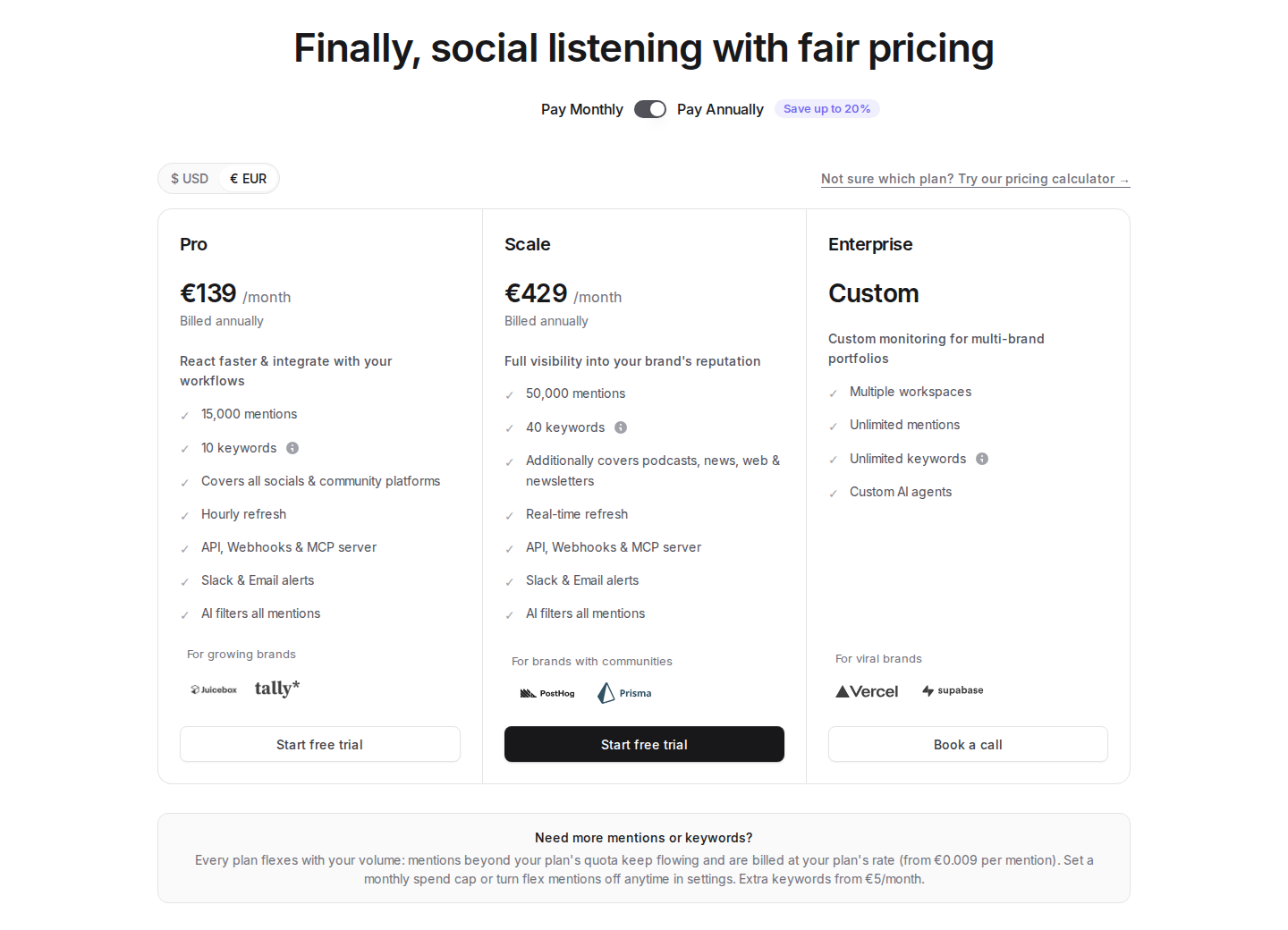
Pricing: In EUR, Pro is €139/month billed annually, with 10 keywords, 15,000 mentions and hourly refresh. Scale is €429/month billed annually, with 40 keywords, 50,000 mentions and real-time refresh. The USD selector shows different currency prices. Extra keywords and flex mentions can add to the bill; configure the spend cap or disable flex mentions if you need a fixed ceiling.
“24/7 monitoring” describes an ongoing service, not the same refresh speed on every plan. Coverage is public content, not private messages or private groups.
4. OutX: keyword, profile and company watchlists
OutX covers LinkedIn and Reddit with three monitoring modes: keywords, profiles and companies. Keyword watchlists surface category and competitor conversations; profile tracking covers the people you select; company tracking follows account activity. Its workspace ranks signals and offers reply drafts.
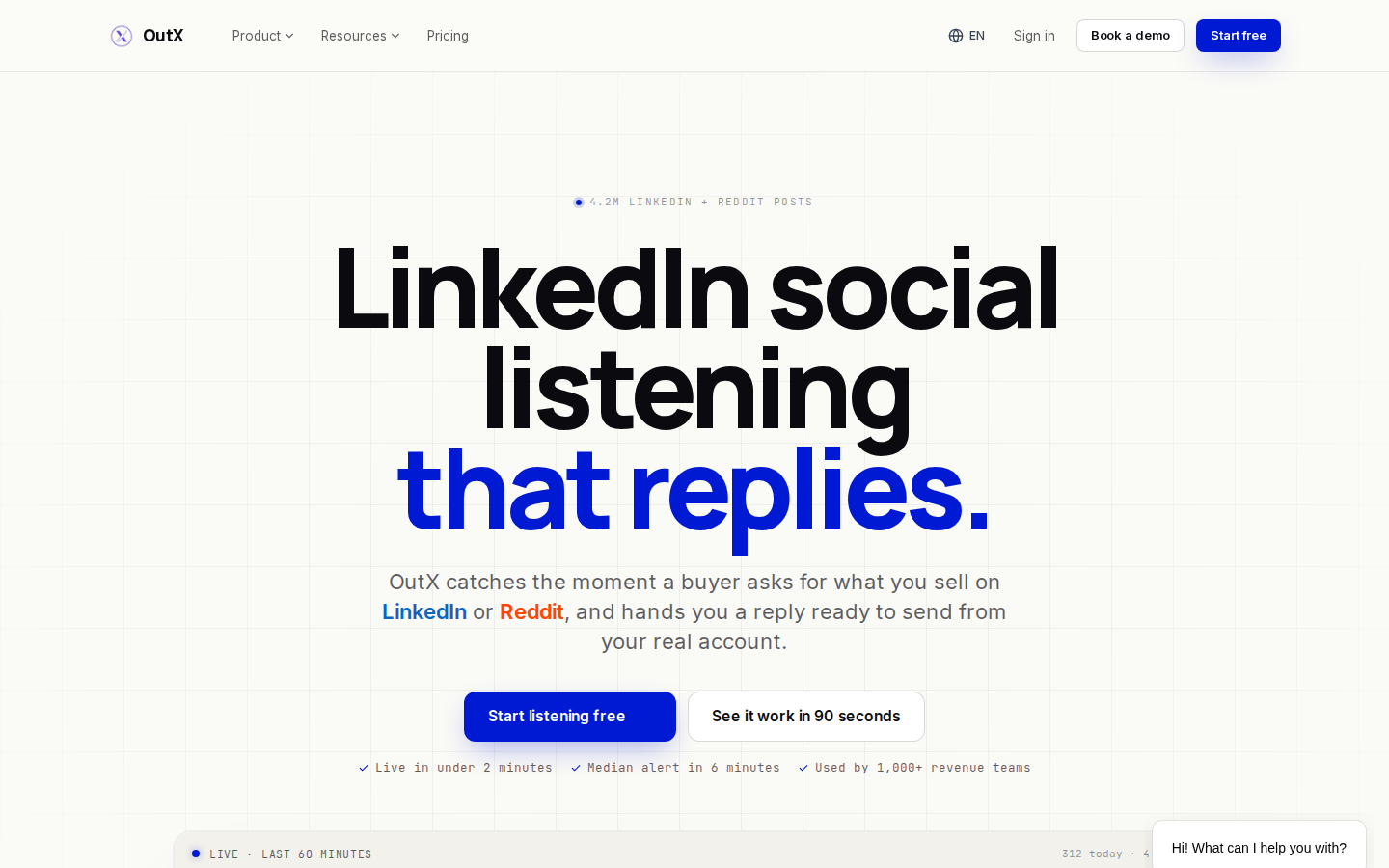
That combination lets a sales team keep a named-account list alongside discovery from public conversations. Separate those watchlists so an existing prospect's update and a new author's keyword match do not receive the same qualification or response.
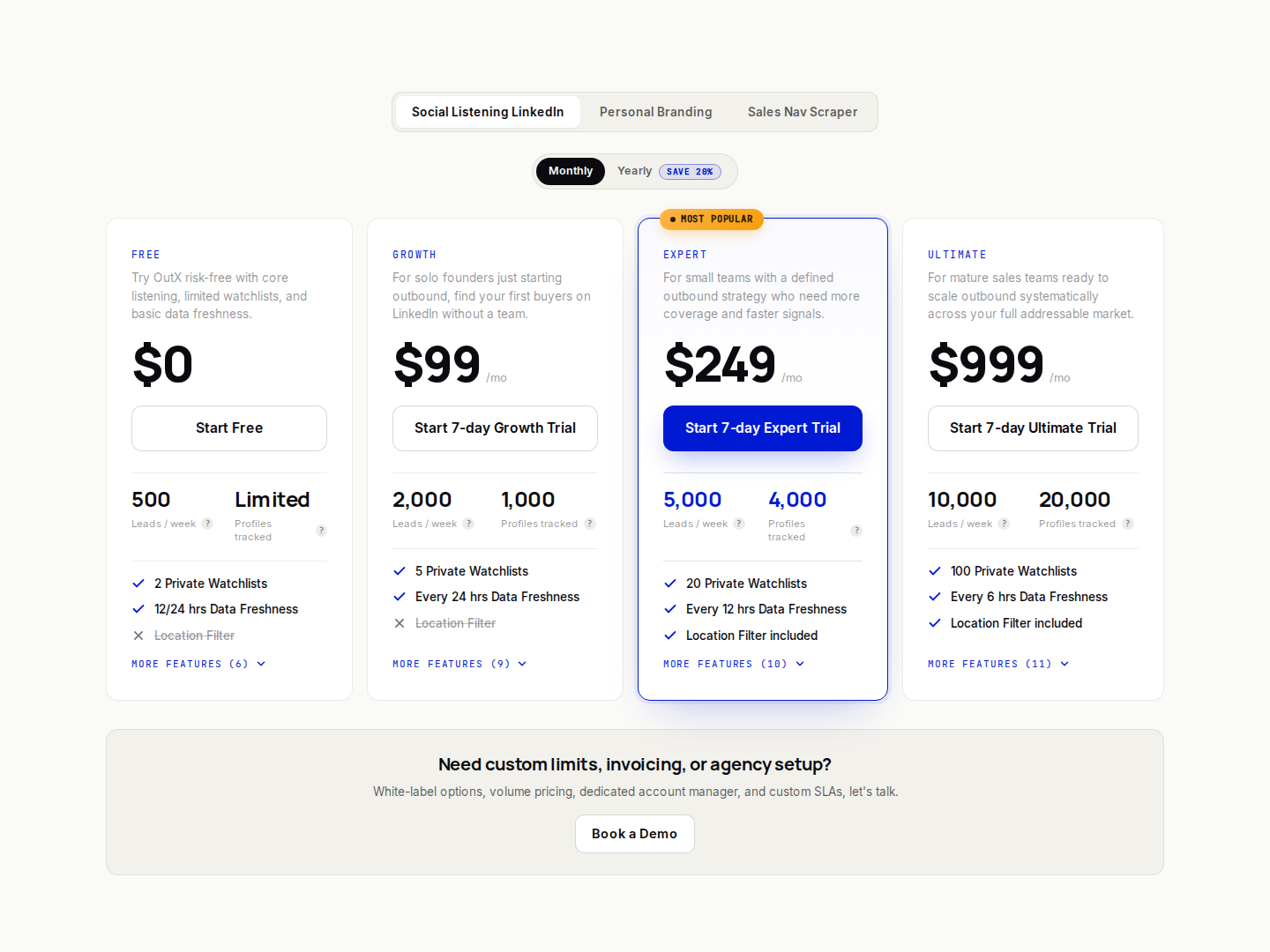
Pricing: The Social Listening LinkedIn product has a limited free tier. Growth is $99/month with monthly billing, five private watchlists, 1,000 tracked profiles, 2,000 leads/week and 24-hour data freshness. Expert is $249/month, with 20 watchlists, 4,000 profiles and 12-hour freshness. Ultimate is $999/month, with 100 watchlists, 20,000 profiles and six-hour freshness. Yearly billing offers 20% off.
The plan's refresh interval is the useful number for scheduling a response. Do not assume the homepage's real-time positioning means every paid watchlist refreshes immediately. The seven-day paid-plan trial requires a card; Personal Branding and Sales Nav Scraper are separate pricing tabs.
5. Buska: keyword-based public-post signals
Buska searches public LinkedIn posts matching the buying situations you want to detect. It can draft editable signals from your website, then scores matched posts from 0 to 100 for buying intent with a short reason. Each lead links back to the original post, so a rep can read the discussion and judge fit.
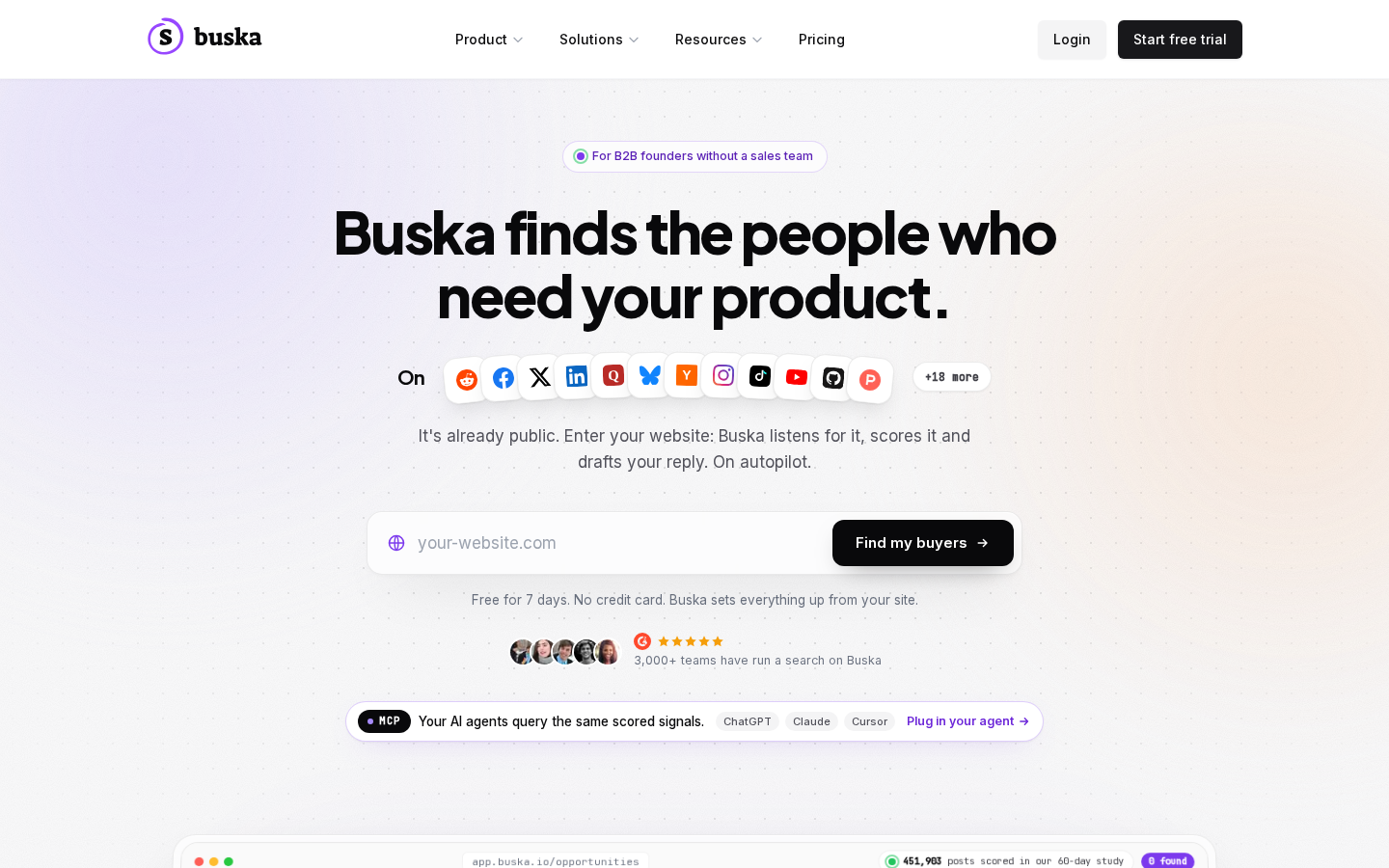
The LinkedIn connection requires a session cookie. Treat that as account access when reviewing the setup. Buska does not follow a named person's activity, track profile job changes or collect who liked and commented on a post through this workflow.
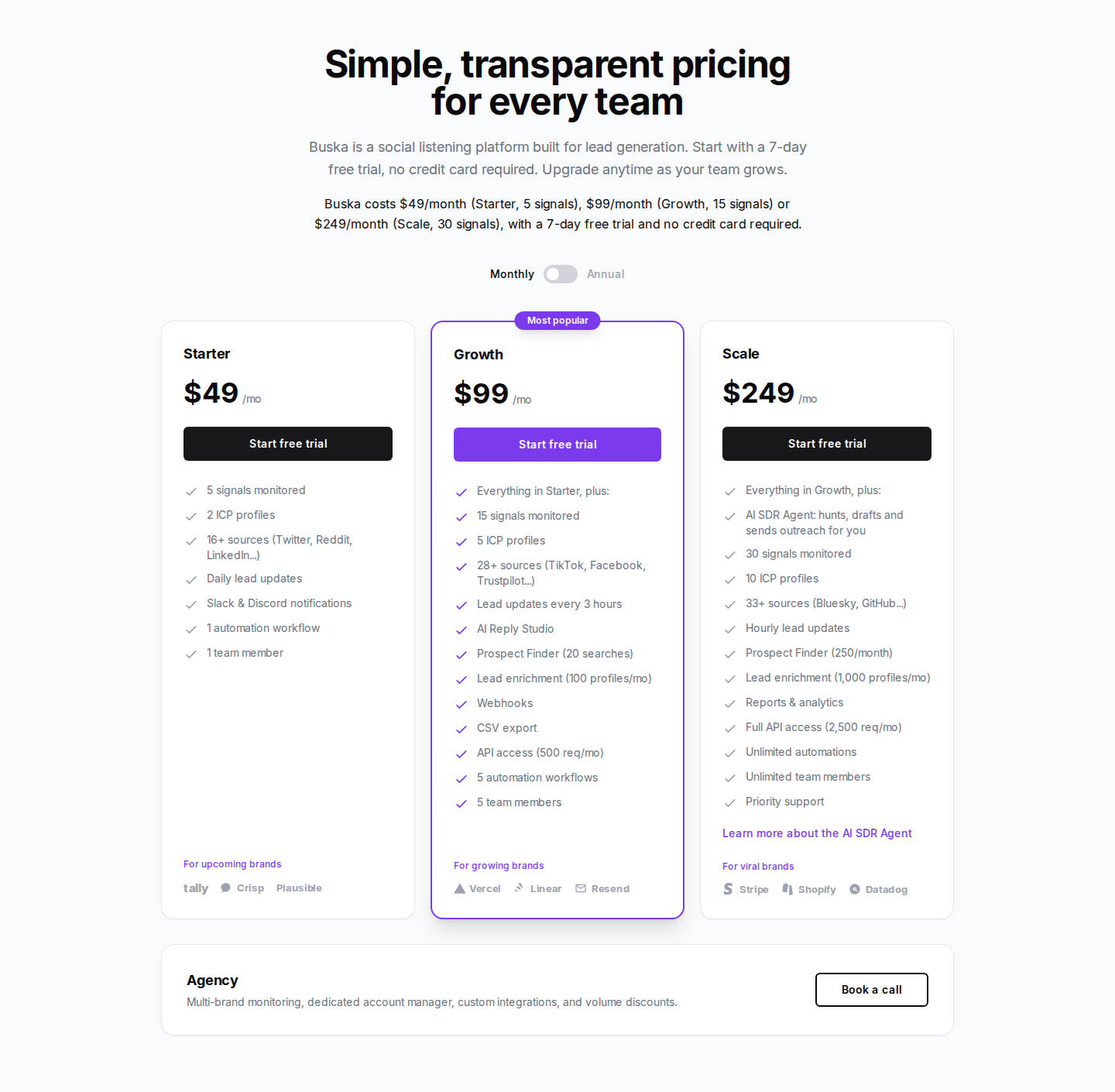
Pricing: Starter is $49/month, with five signals, two ICP profiles and daily scans. Growth is $99/month, with 15 signals, five ICP profiles and scans every three hours. Scale is $249/month, with 30 signals, 10 ICP profiles and hourly scans. LinkedIn is included on every plan. Starter includes Slack/Discord notifications; Growth adds webhooks, CSV export and API access. The seven-day trial requires no card.
A signal is a buying situation that can run as several searches, not one tracked prospect. Use the intent score to prioritize reading, not as proof that the author will purchase.
6. LinkedIn Sales Navigator: native lead and account alerts
Sales Navigator combines LinkedIn search and saved lists with alerts about job changes and new content. It covers the research-and-alert side of LinkedIn for B2B sales, using LinkedIn's own product data.
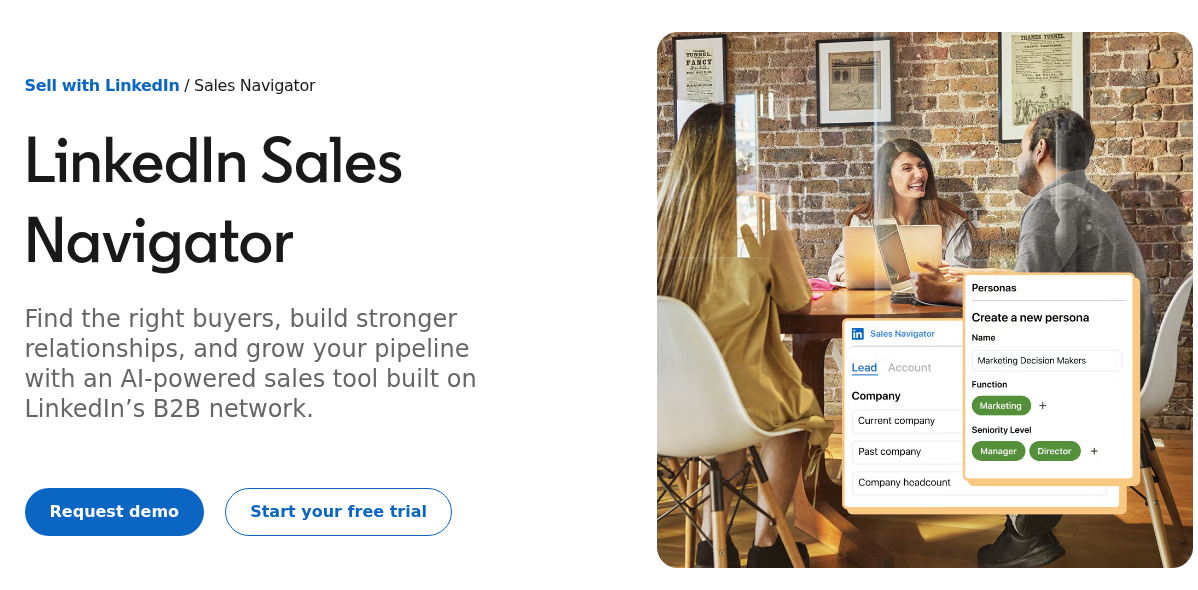
- Saved-lead and account alerts provide a reason to revisit a person or company.
- Buyer Intent shows relevant engagement with your company on eligible plans.
- InMail is included; Message Assist and other AI features depend on the plan.
- TeamLink and CRM features have their own plan requirements.
Saved lists keep known leads and accounts in view while search supports finding new ones. For a deeper workflow comparison, see Extrovert vs Sales Navigator.
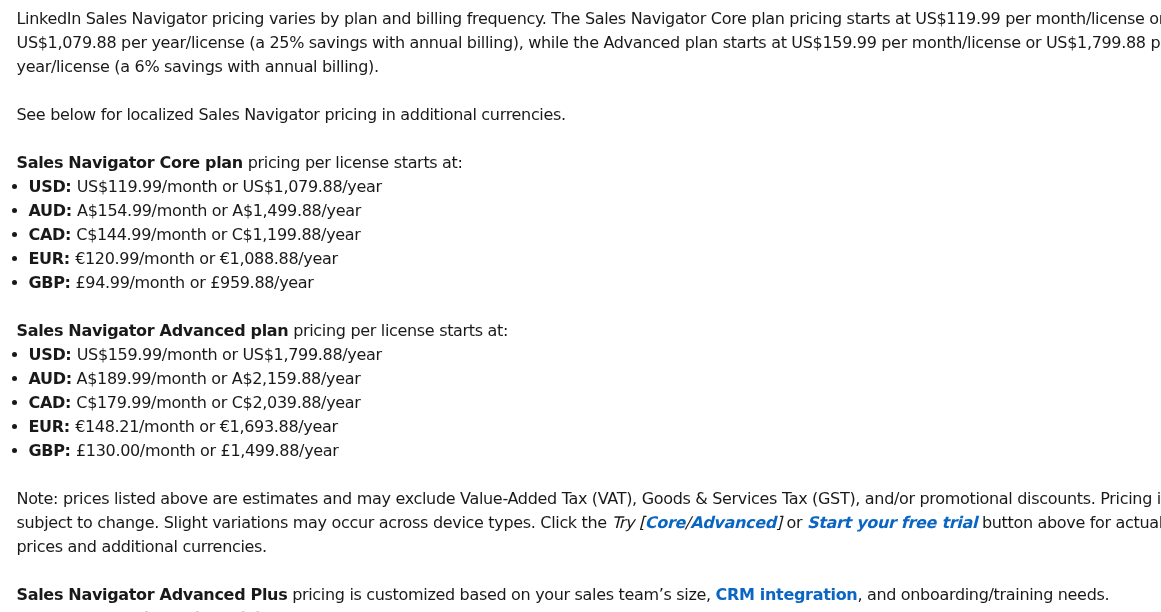
Pricing: Core starts at US$119.99 per license/month, or US$1,079.88 per license/year. Advanced starts at US$159.99 per license/month, or US$1,799.88 per license/year. Advanced Plus has custom pricing. Local currency, tax and trial eligibility vary.
Core covers individual search, saved lists, alerts and InMail. Advanced adds team features such as TeamLink and Buyer Intent; Advanced Plus adds deeper CRM integration. Keyword listening for untagged brand conversations is a separate job from saved-lead alerts.
7. UserGems: champion tracking and coordinated account signals
UserGems tracks signals such as job changes, hiring and M&A, combines them with first-party data, and supports campaign orchestration. Champion tracking gives a revenue team a way to notice when a past customer or engaged buyer moves to another company.
Enroll the customer and prospect relationships your team wants to retain, then route a champion move through account scoring and the CRM owner. This makes the changed employer part of a coordinated revenue program, rather than leaving each rep to maintain a personal contact watchlist. The person's new responsibilities and your relationship still determine whether outreach is relevant.
- Person-level signals and account scoring support prioritization.
- Gem-E and other AI workflows support research and campaign actions.
- CRM and sales-tool integrations connect the signals to an existing revenue stack.
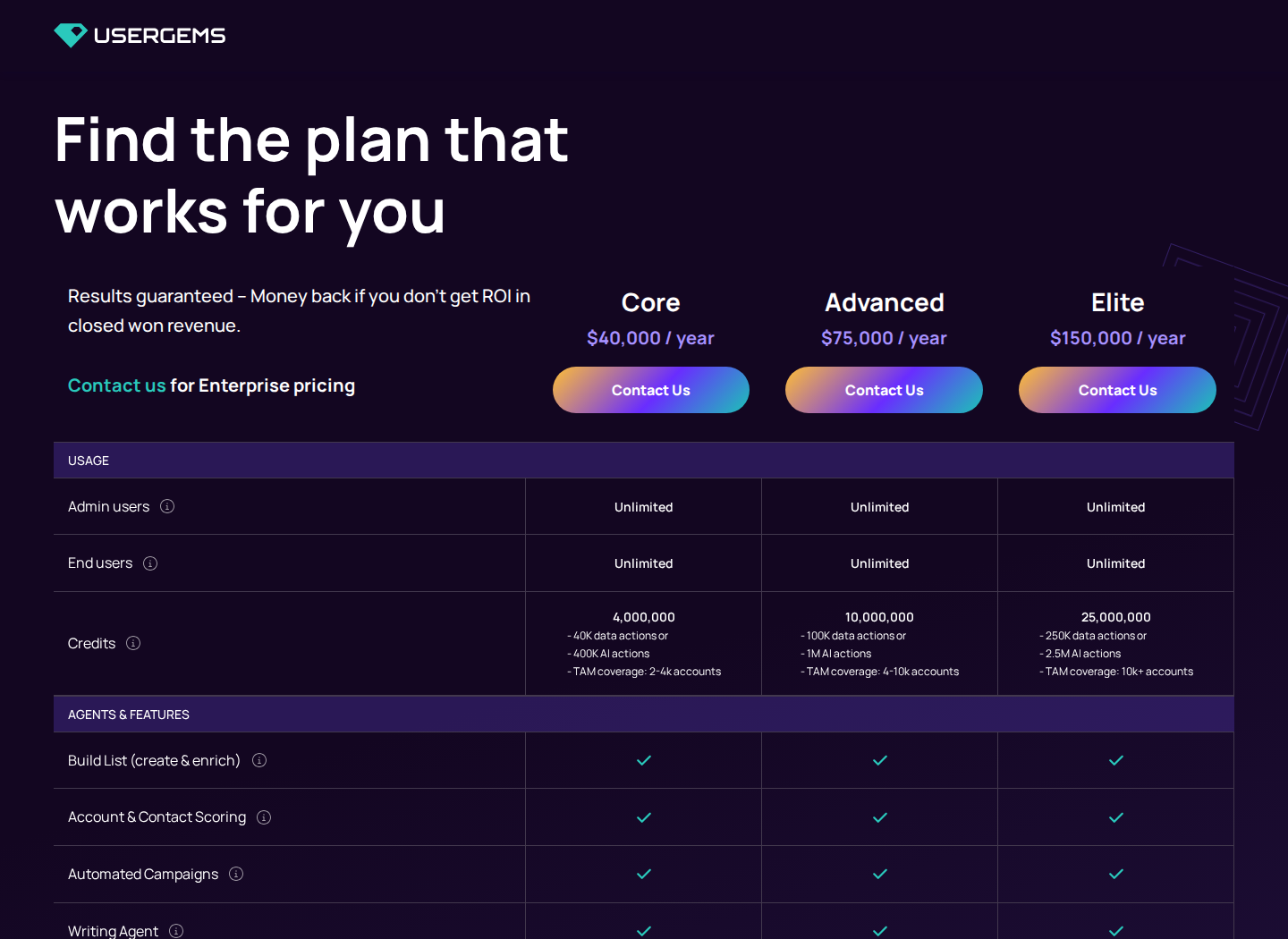
Pricing: Core is $40,000/year; Advanced is $75,000/year; Elite is $150,000/year. One-time implementation is $3,000, $5,000 and $10,000 respectively; optional retroactive job-change leads cost $3,000.
Material limits: This is an annual revenue-team program, not a per-seat equivalent of a prospect-post feed. Define the tracked population, signal coverage and routing before comparing its cost with a lightweight engagement workflow.
8. Clay: configurable signal and enrichment workflows
Clay provides tables and workflows that combine enrichment, research and signals, including LinkedIn brand mentions, job changes, promotions and hiring. It can monitor keywords on LinkedIn, Reddit and YouTube, then enrich the people or accounts before routing them.
- Launch includes job-change and social signals.
- Growth adds features such as web-intent signals and CRM auto-sync.
- Waterfall enrichment checks multiple providers for data.
- Actions measure platform work; Data Credits pay for data and some AI usage.
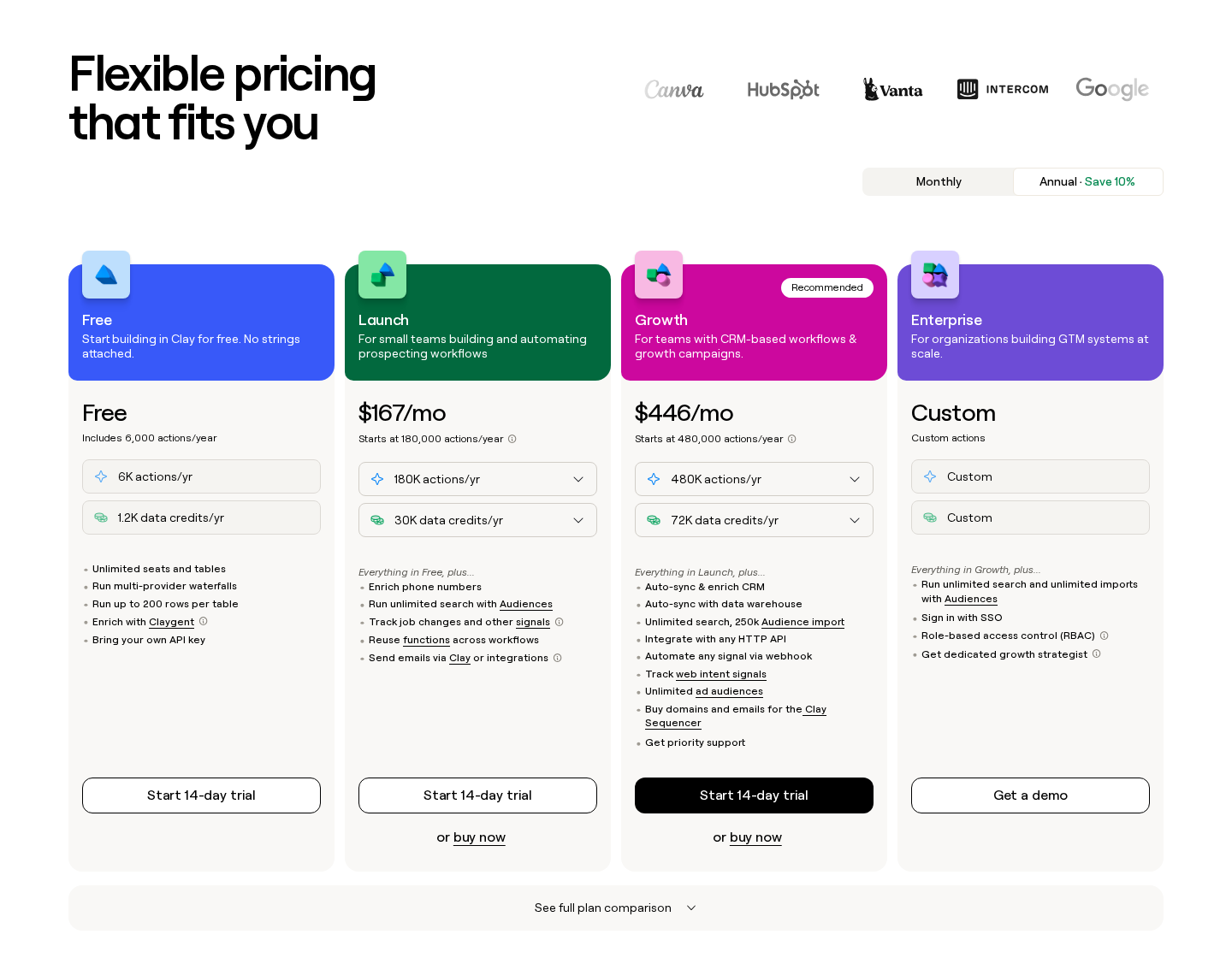
Pricing: Free includes 500 Actions and 100 Data Credits per month. Launch's starting price is $185/month on monthly billing or $167/month on annual billing. Growth starts at $495/month on monthly billing or $446/month on annual billing. Usage tiers and Data Credits change the total.
To create a Custom Signal in a table, choose Actions → Import → Custom signal, select the source, configure its search and set the run frequency. Clay shows the estimated cost per result. Add enrichment and a Slack notification or Salesforce update, then save. Each resulting row can pass the monitored event to Slack or Salesforce. Some sources require your own account; others use a Clay-provided account. Budget for Actions and Data Credits as well as the refresh schedule.
9. Common Room: buyer signals across multiple touchpoints
Common Room combines social and community engagement, job changes, website activity and product signals into buyer profiles. Identity resolution connects activity from different sources to a person or account.
The LinkedIn connector observes posts, comments and reactions on your connected company page, plus posts that mention that page. It creates contacts and activity records for that engagement. Connecting arbitrary personal profiles is not supported by this connector. Combine those contacts with CRM, website or product activity to see whether an engaged person also belongs to a target account.
- Job-change tracking and social engagement add people-level context.
- RoomieAI supports research and message workflows.
- Alerts, segments and workflows help route signals to the team.
- CRM and other integrations depend on the package and selected connectors.
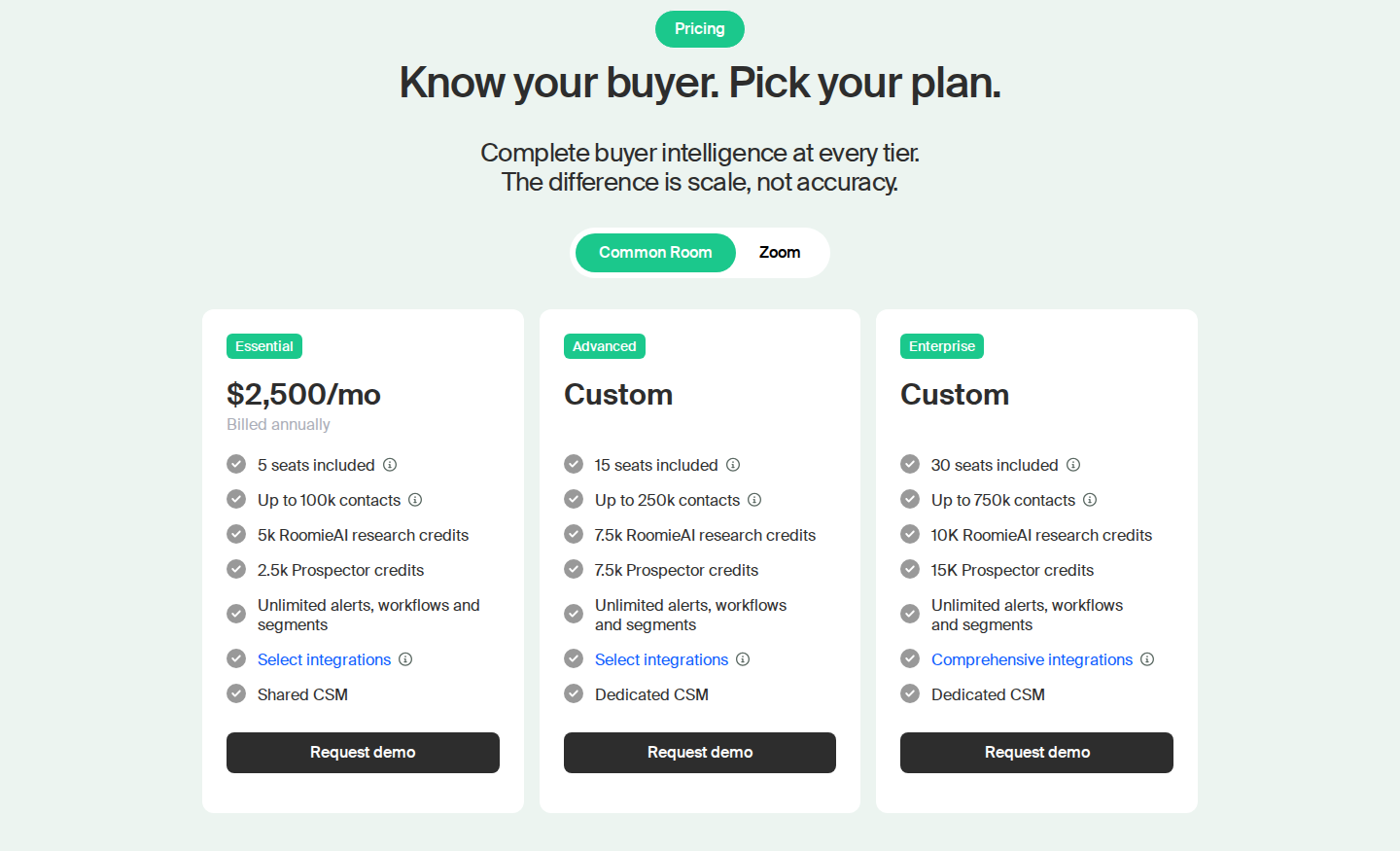
Pricing: Essential starts at $2,500/month, billed annually, with five seats included. Advanced and Enterprise have custom pricing.
Material limits: Coverage depends on the sources connected and the integrations in your plan. Website visits, product usage and community activity require their own collection and identity setup; they are not observations of LinkedIn activity alone.
10. LeadIQ: contact capture with champion tracking
LeadIQ combines contact enrichment and prospecting with champion tracking. It can flag job changes for saved contacts, helping a rep revisit an existing relationship when the person moves.
- Its extension captures contact details during prospecting.
- Champion tracking adds a job-change layer to the saved-contact workflow.
- Salesforce and HubSpot integrations connect contact data to the CRM.
- AI-assisted research and message features support subsequent outreach.
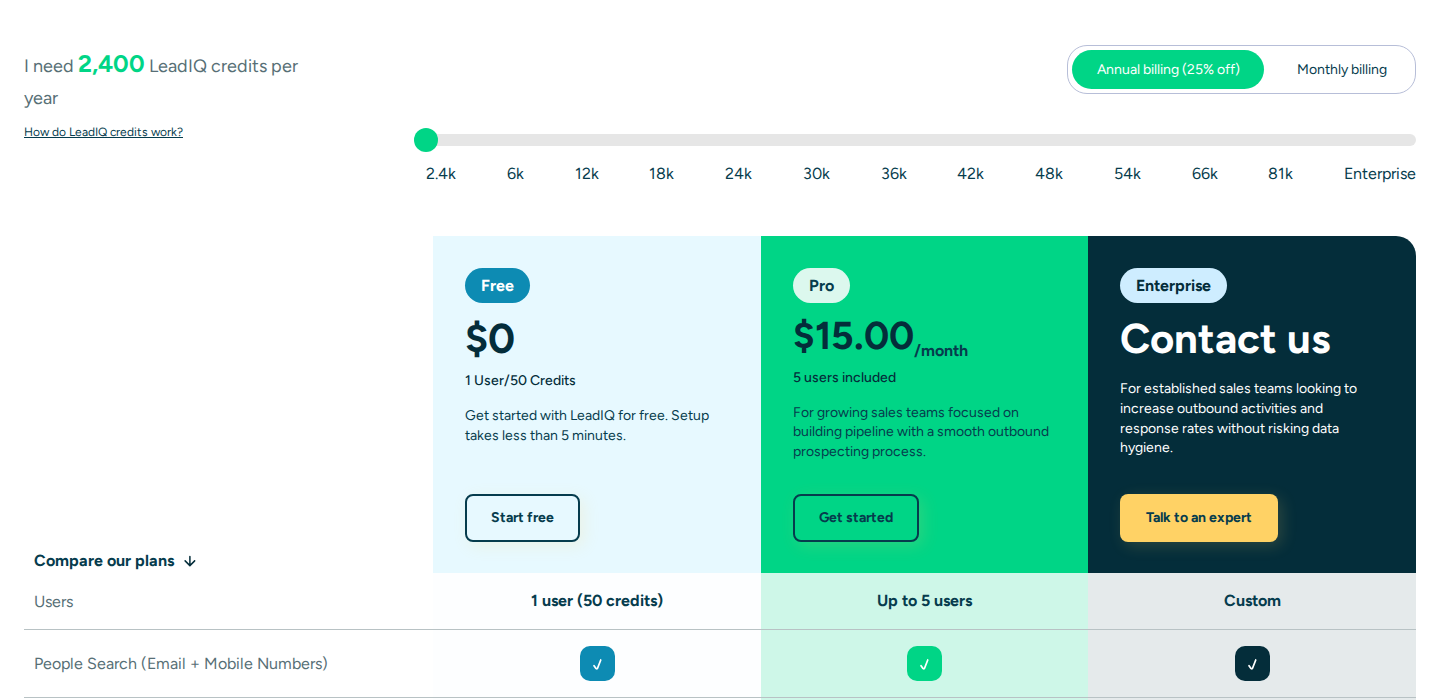
Pricing: The free contact-data plan includes one user and 50 monthly Credits; that allowance should not be read as an entitlement to free champion monitoring. Pro pricing is configured by the Credit package, with five users included. The selected 2,400-Credits/year package displays $15/month with annual billing; Enterprise has custom pricing.
LeadIQ tracks the contacts you capture and save during prospecting. Champion tracking helps keep those contacts current in Salesforce or HubSpot. This suits a contact-data workflow; public keyword conversations need a separate listening source.
11. Signalbase: hiring and account events for recruitment teams
Signalbase, the recruitment product at trysignalbase.com, monitors selected accounts for funding rounds, acquisitions, job changes and new job posts. It is distinct from the IT consultancy using signalbase.com.
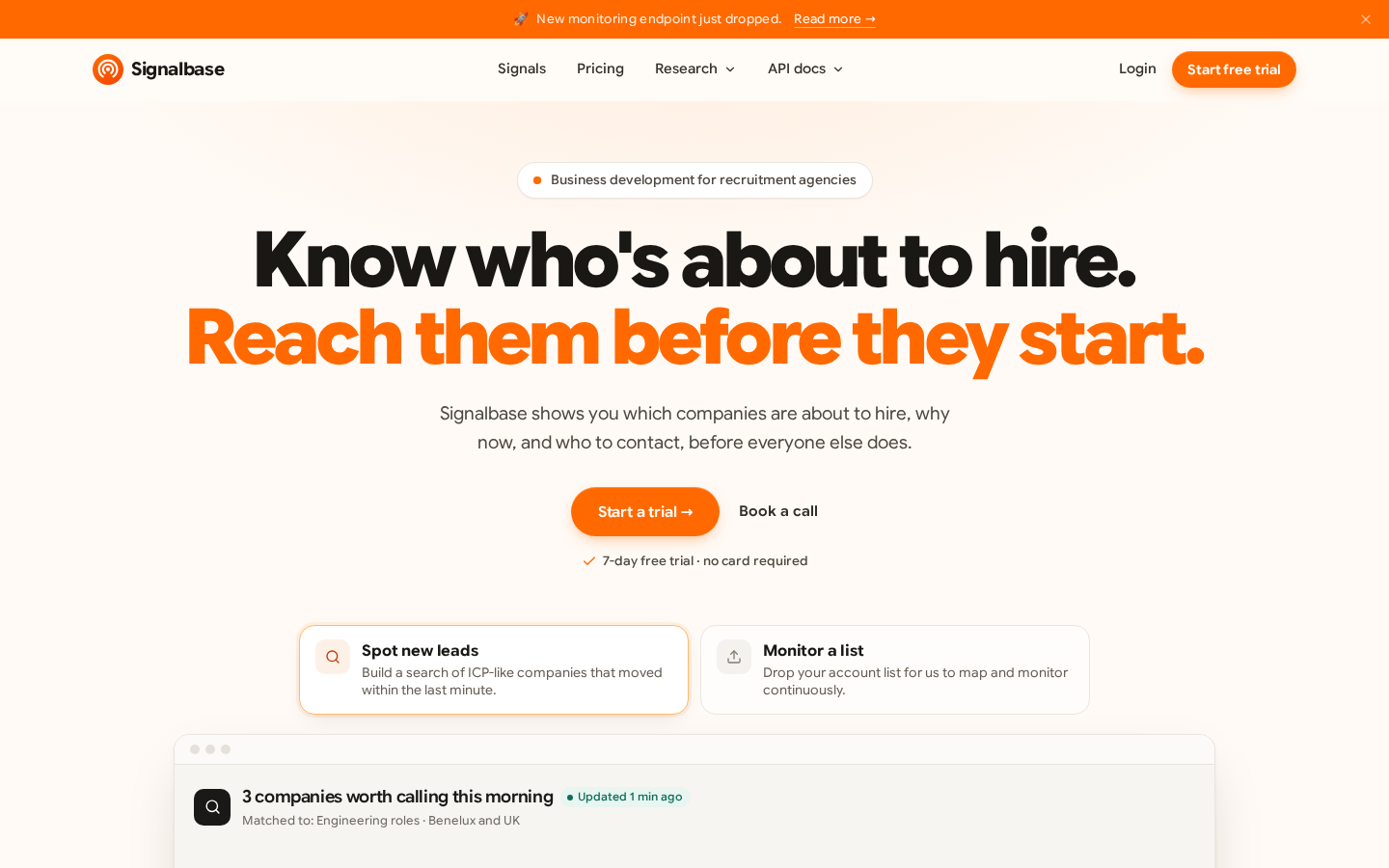
Create a monitor, choose the event types and add domains or LinkedIn company/profile URLs. The monitoring API resolves a profile URL to the company that person currently works at; the monitor then watches that account. This account-event workflow is useful for recruitment business development and differs from scanning posts for brand or competitor keywords.
Delivery can use email or a webhook. Monitoring supports up to 20 monitors and 1,000 targets per team; repeated targets in different monitors count separately. Successful webhook delivery consumes one API credit, while email alerts are free. Its job-change signal search also supports person-level filters, but a keyword filter on signal records is not a LinkedIn-post keyword listener.
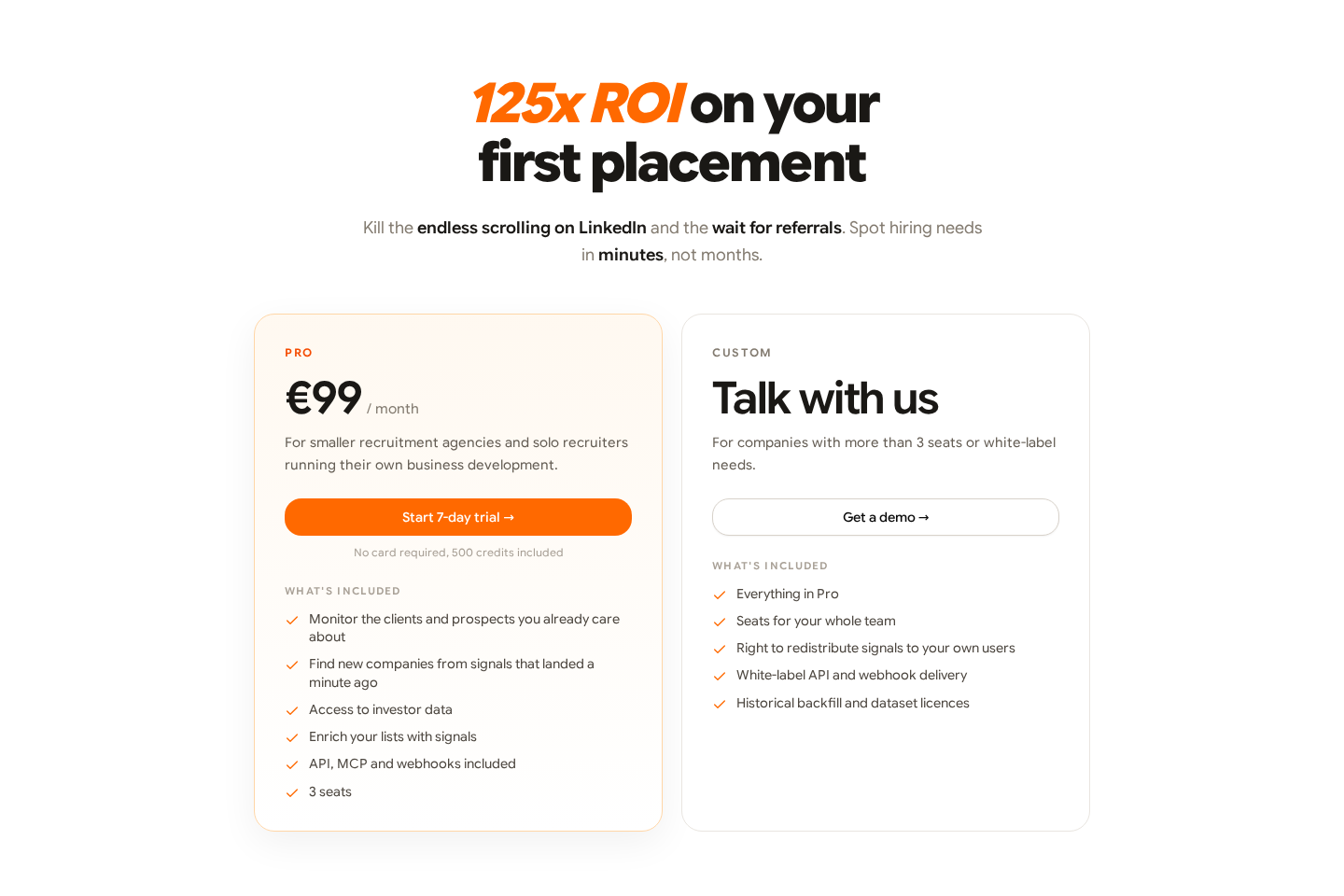
Pricing: Pro is €99/month for three seats, including API, MCP and webhooks. The seven-day no-card trial includes 500 credits. Custom covers larger teams, redistribution and white-label needs. Usage above 2,000 credits is metered and billed at an agreed rate, so keep signal-delivery usage in the budget as well as the subscription.
12. Socialinsider: company-page performance and competitor reporting
Socialinsider tracks how LinkedIn content and company pages perform over time. It brings engagement, impressions, clicks, video views and follower growth into a dashboard, with post-level analysis and report exports.
Connect the business pages you manage, then use account and post analysis to compare formats, topics and periods. Competitor benchmarking belongs in the reporting workflow; private reach, impressions and audience data depend on connected account access and should not be treated as public metrics for every rival. This is a company-page analytics product, not an arbitrary-person post-alert feed.
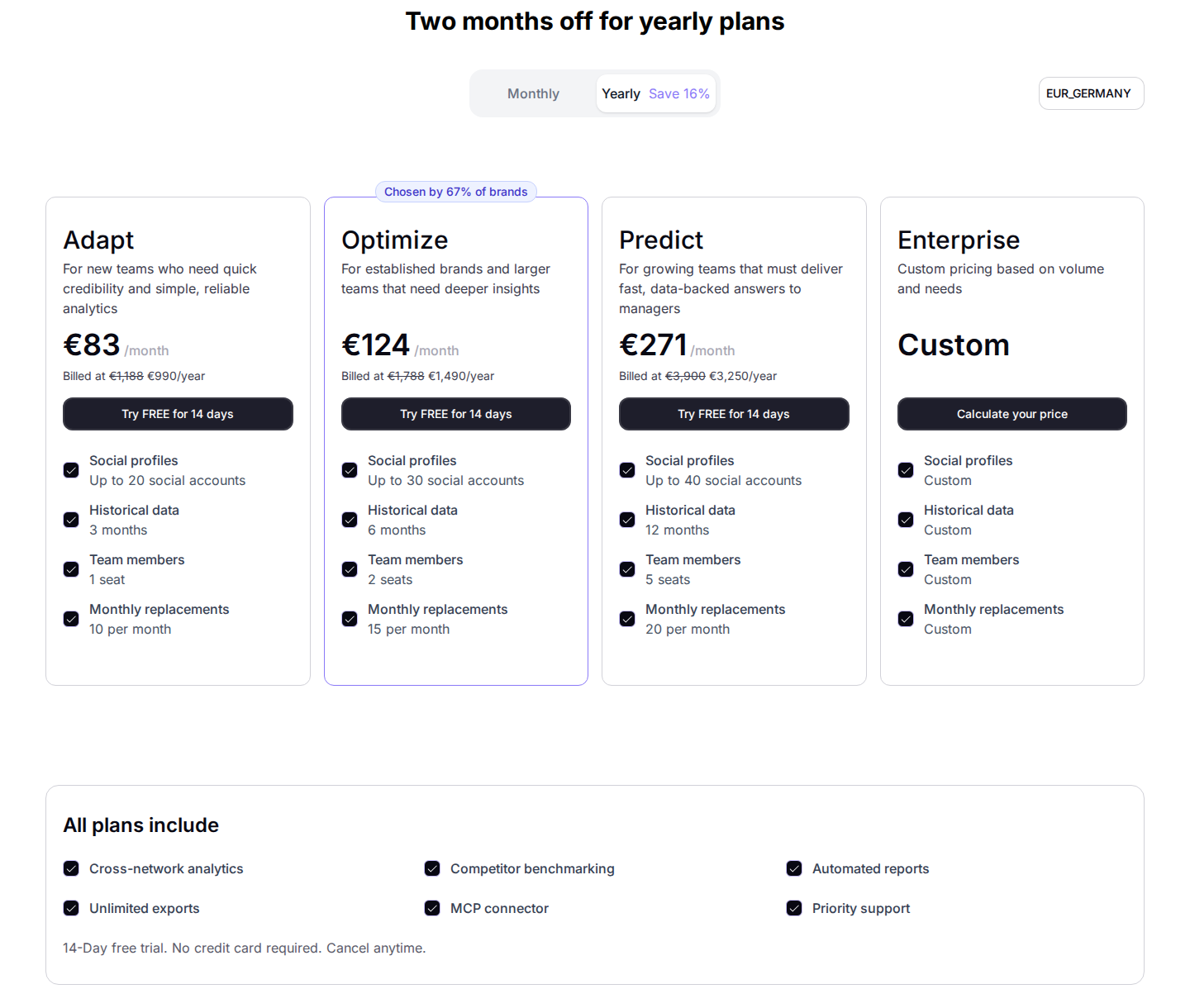
Pricing: The EUR annual Adapt plan is €990/year, displayed as €83/month, for up to 20 social accounts, three months of history and one seat. Optimize is €1,490/year for 30 accounts and two seats; Predict is €3,250/year for 40 accounts and five seats. Additional profiles, seats and API access cost extra. A 14-day trial requires no card.
For your own small page, native LinkedIn analytics can be enough. A reporting platform becomes relevant when you need repeatable exports, deeper post analysis and several accounts in one view.
Trigify retirement: what existing users need to know
Trigify announced on 23 September 2026 that its team is joining HubSpot and the standalone platform is retiring. For customers on the standard notice period, access ends at 11:59pm BST on 22 October 2026. Different contractual arrangements can have different dates; follow your account-specific notice.
Monitoring, integrations and API access stop with account access. The platform and customer accounts will not migrate into HubSpot. Export information you need to keep and review dependent workflows before your service end date.
For a prospect-post engagement workflow, Extrovert covers monitoring and the response together. That does not imply feature-for-feature replacement of every Trigify signal or integration. Map each existing workflow to its actual source, match criteria and destination before changing it.
Set up alerts your team can act on
For keyword monitoring, keep brand names, competitor names and category/problem language in separate searches. Exact brand searches catch reputation and customer feedback. Competitor searches catch comparisons and switching discussions. Category searches need tighter qualification because many authors will be peers, vendors or job seekers rather than potential customers. Exclusions and ICP filters help, but retain the original post so the owner can check the match.
Give each signal an owner and a destination. Send a customer complaint to the customer team, a qualified category question to sales, and a recurring competitor theme to product marketing. Suppress duplicate records before two tools trigger outreach to the same person. Review noise and missed relevant posts during the trial before buying a faster refresh or a larger allowance.
For wider coverage, see buying signal tools. Identifying a website visitor with a LinkedIn URL does not monitor that person's LinkedIn activity, and capturing a profile into a CRM does not create a proactive alert feed. Our LinkedIn social-listening guide explains how to qualify conversation signals and route them.
Compare the complete cost and account requirements
Compare seats, tracked contacts, searches, refresh frequency, mentions, credits and destinations. Annual revenue programs and monthly subscriptions are different commitments. Check whether a source needs your session, a company-page permission or a third-party data provider, separately from the actions it sends.
LinkedIn prohibits unauthorized scraping and automation. Reviewing a draft improves message quality; it does not certify a data source or create an exemption from platform rules.
FAQ
Can I monitor LinkedIn keywords without an @mention?
Yes. Keyword tools can capture public posts matching a brand, competitor or category query even when the author does not tag your page. Coverage differs: Jungler.ai documents post caps and daily runs; Octolens covers public posts and comments; Buska's LinkedIn workflow searches public posts. Company-page integrations and native notifications have a different scope.
Which type of competitor monitoring do I need?
Use keyword listening for conversations that mention the competitor, engagement signals for the people interacting with selected content, account-event monitoring for hiring and company changes, and analytics for content performance. Define the event first so you do not buy a reporting tool when you need conversation alerts.
Can LinkedIn monitoring be free?
Native browsing and notifications can support a short manual watchlist; your own page has native analytics. Some products offer limited free tiers, but free contact enrichment is not a full monitoring feed. Extrovert offers a 10-day no-card trial for testing a prospect or topic campaign.
How fast do alerts arrive?
Refresh depends on the source and plan. Jungler.ai runs daily; Buska ranges from daily to hourly; Octolens Pro is hourly; OutX Growth lists 24-hour freshness. A job-change alert also depends on when the underlying information changes. Choose speed for the response you can realistically make.
Can monitoring tools work together?
Yes. A listener can discover a qualified person, an engagement workflow can maintain the relationship, and CRM data can keep ownership clear. Define one owner per signal and one place to record the response.